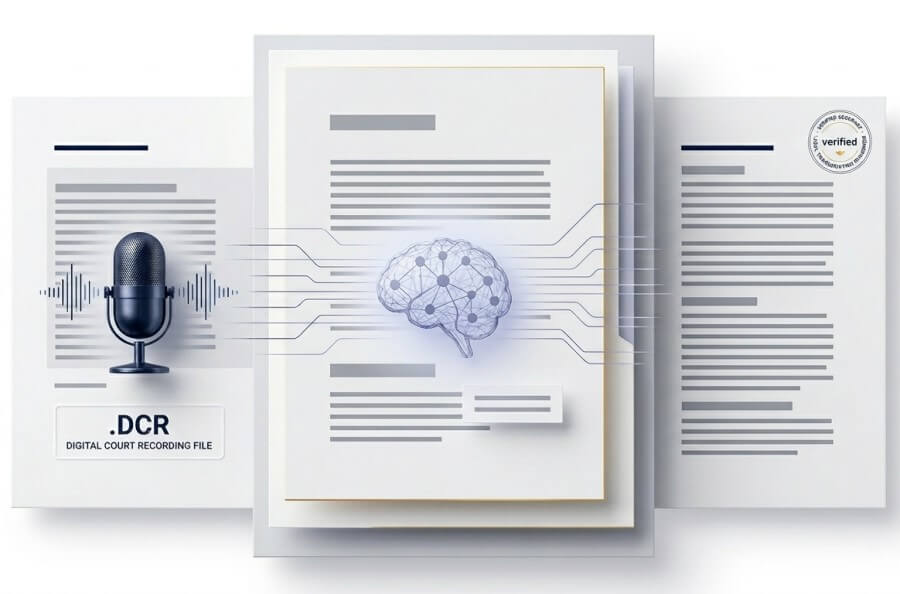
Standard transcription services struggle with Latin phrases, legal jargon, and multi-speaker interruptions. Our legal-optimized domain model delivers superior accuracy for depositions and hearings.
| Capability | SpeechText.AI (Legal Model) | General AI (Otter, Rev Automated) |
|---|---|---|
| Legal Terminology Accuracy | Highly Accurate (Optimized for case citations, Latin terms, legal jargon) | Poor (Frequently hallucinates or misspells specific legal terms) |
| Domain-Specific Recognition | Yes (Select "Legal" domain prior to processing) | No (One-size-fits-all generic model) |
| Multi-Speaker Diarization | Advanced (Tracks overlapping voices in intense depositions) | Moderate (Struggles when attorneys talk over each other) |
| Punctuation Formatting | Deep learning punctuation tailored for reading legal drafts | Basic conversational punctuation |
Because .dcr is a proprietary encrypted container used by the Liberty Court Recorder, it cannot be processed directly. You must extract the audio first. Here is the exact workflow.
You cannot use standard media players like VLC or Windows Media Player. You must download the Liberty Court Player directly from the High Criteria website. The software is free and available for both Windows and Mac operating systems. This player contains the specific decoders needed to open a .dcr file.
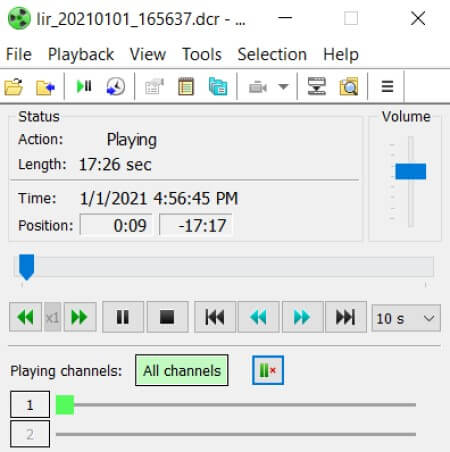
Launch the Liberty Player and open your .dcr file. You will see a multi-channel interface (often 4 to 8 separate audio channels representing different microphones in the courtroom). Confirm that the audio quality is high and note if you need to isolate a specific channel (like a specific witness microphone) or export the entire mixed track.
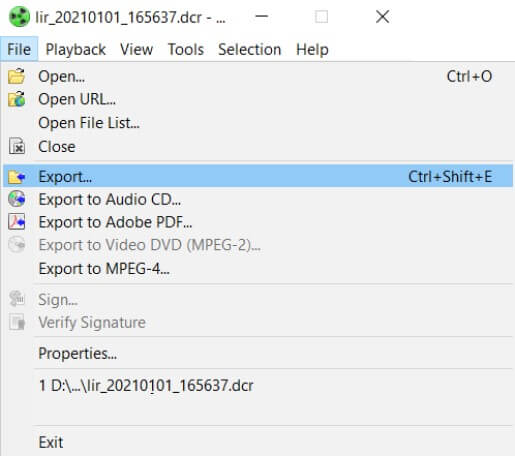
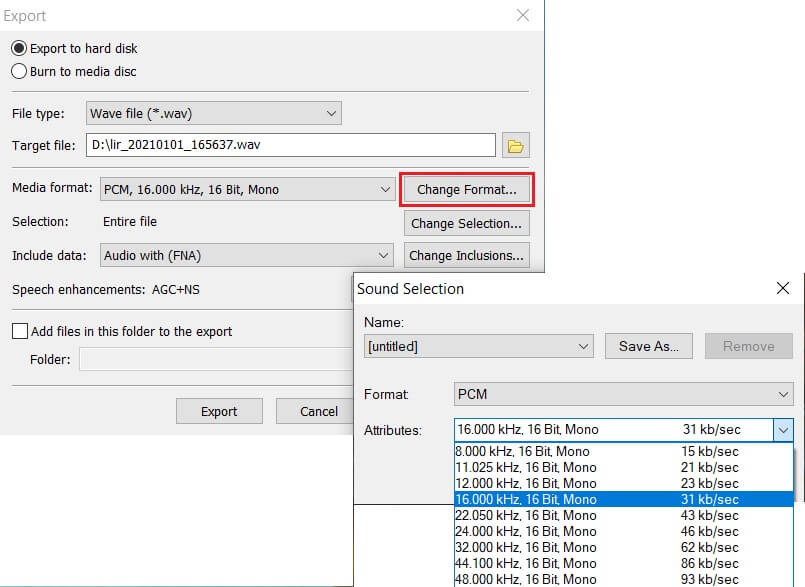
This is the critical step. Navigate to File > Export in the Liberty Player menu. You will be prompted to choose an export format. Select WAV (Uncompressed) for the highest quality audio, or WMV if the file contains a video deposition. Choose to export either the "Mixed channels" or individual isolated channels depending on your transcription needs.
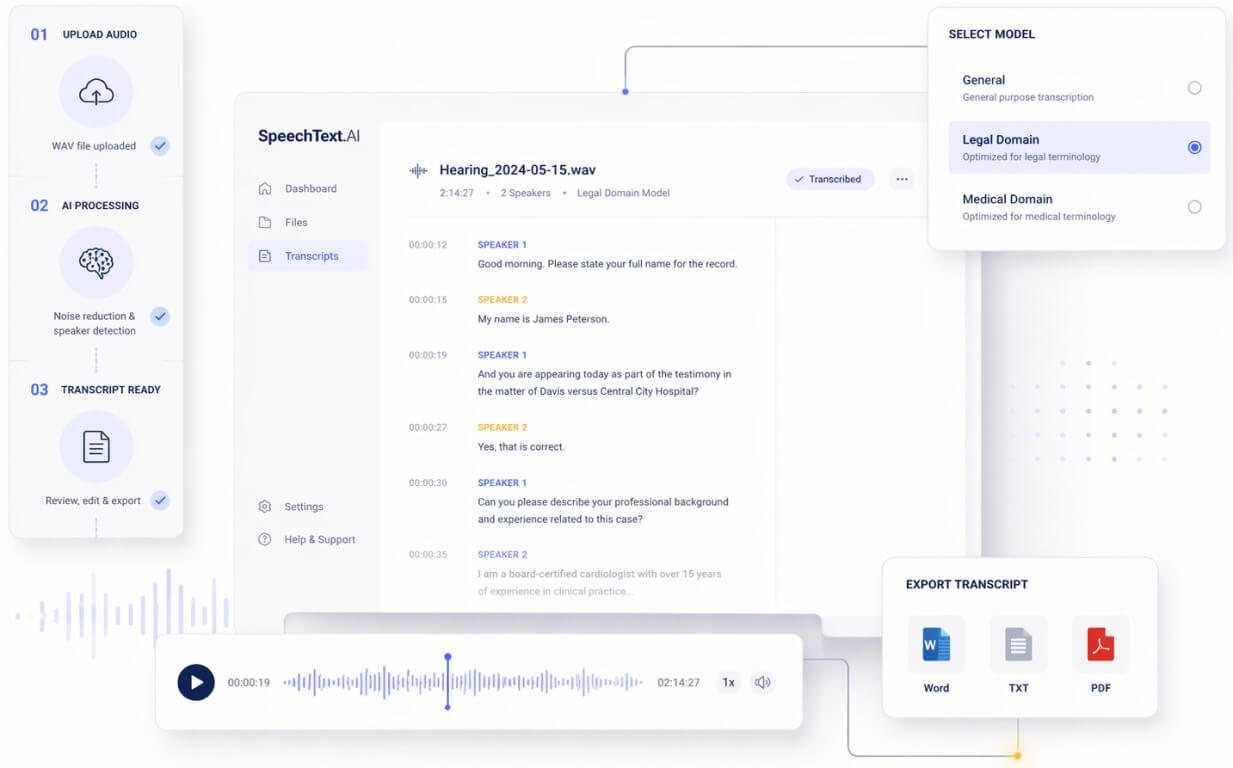
Once you upload your exported WAV file to SpeechText.AI, our system takes over. We run the audio through our proprietary noise-reduction algorithms to clean up background courtroom noise.
Next, you select the Legal Domain model. Our AI identifies speaker changes (diarization), applies legal-specific vocabulary rules, and generates a highly accurate transcript. Finally, you can use our interactive editor to playback the audio, make final corrections, and export directly to Word, TXT, or PDF.
Everything you need to know about capturing and managing Liberty Court Recorder files.
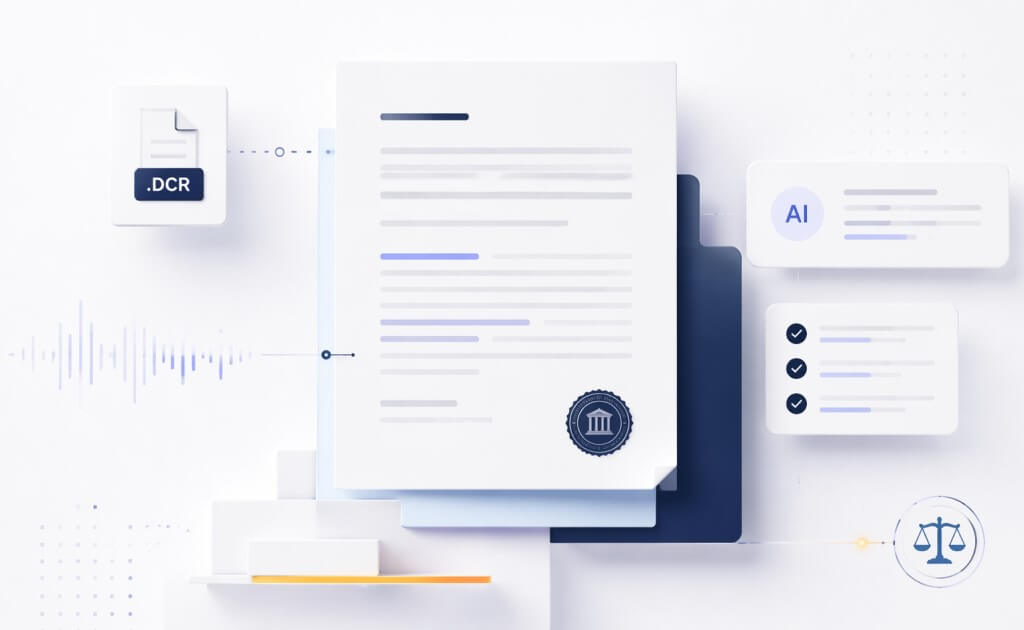
A .dcr file is a proprietary multimedia container used primarily by the Liberty Court Recorder system. It securely captures multi-channel audio and video in courtrooms, depositions, and police interviews. It encrypts data to maintain a tamper-proof chain of custody, making it the industry standard for legal proceedings.
Unlike standard audio formats, a single .dcr file can store up to 32 independent microphone tracks. This allows transcriptionists to isolate specific speakers, such as the judge, witness, or defense—to easily untangle overlapping voices. Furthermore, the format embeds searchable bookmarks, timestamps, and clerk annotations directly alongside the media streams.
Scale your legal reporting operations with AI.
Modernize your operations. Generate highly accurate rough transcripts from your .dcr files instantly, reducing human production time and costs by up to 70%.
Don't wait weeks for transcripts. Convert exported Liberty Court Recorder audio into searchable text to build case strategies faster.
Process suspect interview recordings quickly. Easily export the .dcr extension files to WAV and create reliable transcripts for case files.
Stop typing from scratch. Upload your exported audio, generate a highly accurate rough draft instantly, and import the text directly into your favorite CAT (Computer-Aided Transcription) software to finalize.
Maintain perfect public records. Quickly process multi-channel recordings from city council meetings, administrative hearings, and public forums to meet strict compliance deadlines.
Accelerate the discovery process. Transform complex multi-speaker depositions into formatted documents in a fraction of the time, allowing you to focus on case preparation.
A .dcr file is a highly secure, proprietary multimedia container created by the Liberty Court Recorder system. It is the industry standard for digitally recording courtroom proceedings, city council meetings, and police interrogations. It securely wraps multi-channel audio, video, and case metadata into a single, encrypted file to maintain a tamper-proof chain of custody.
Yes. Standard media players like VLC, Windows Media Player, or QuickTime cannot open .dcr files due to their proprietary encryption. You must download and install the free Liberty Court Player from the official High Criteria website to playback the audio and access the individual microphone channels.
No, there is currently no native, browser-based DCR player online. Because court files often contain highly sensitive and encrypted data, the playback software must be installed locally on your Windows or Mac machine to decrypt and decode the multi-channel streams securely.
Liberty files often record the Judge, Witness, Plaintiff, and Defense on separate tracks. When exporting from the Liberty Player, you have two choices: export a "Mixed" track (which blends all voices into one file), or export individual channels separately. SpeechText.AI features advanced speaker diarization, meaning it can accurately identify different speakers even if you upload a single mixed track.
Extremely accurate. Unlike generic AI models, SpeechText.AI offers a specific "Legal Domain" model. This engine has been heavily trained on jurisprudence, Latin legal phrases, penal codes, and medical-legal terminology commonly used in depositions and hearings, significantly reducing the editing time required by court reporters.
Yes. We understand the stringent confidentiality requirements of the legal industry. All audio processing is conducted over secure, encrypted connections. We do not use your private courtroom audio or exported transcripts to train our AI models and our service is fully GDPR compliant.
Both are proprietary digital court recording formats, but they are created by different companies. .DCR files are created by the Liberty Court Recorder, while .TRM files are created by For The Record (FTR). DCR typically bundles audio and metadata into a single, unified file. TRM belongs to the For The Record (FTR) ecosystem and differs by frequently segmenting long recordings into smaller, five-minute chunks for data integrity. Whether your jurisdiction uses Liberty or FTR, SpeechText.AI fully supports the transcription of both exported .dcr and .trm files.