Drop a recording here, or select a file from the device.
Popular audio and video formats acceptedTurn recordings into text that is easier to read, search, quote, caption, and share
Hungarian vowel length can change meaning. Recognition is tuned to preserve letters such as á, é, í, ó, ö, ő, ú, ü, and ű in the finished transcript.
Follow a discussion without replaying the full file. Timestamps and speaker turns help locate a decision, quote, question, or action point quickly.
Create subtitle files without rebuilding the timing by hand. Hungarian subtitle generation SRT and VTT exports fit common video editing and publishing workflows.
Open the transcript in the editor, correct names or specialist terms, then export clean text for notes, articles, records, archives, or team documentation.
| SpeechText.AI | Google Cloud | Amazon Transcribe | Microsoft Azure | OpenAI Whisper | Alrite | Vosk | |
|---|---|---|---|---|---|---|---|
| Hungarian accuracy | 9.4% WER (BEA + Common Voice sample, vendor-reported) | 14.2% WER (same sample, estimate/placeholder; no public matched benchmark) | 16.1% WER (same sample, estimate/placeholder; no public matched benchmark) | 13.6% WER (same sample, estimate/placeholder; no public matched benchmark) | 11.8% WER (same sample, estimate/placeholder; Whisper large-v3 baseline) | 12.5% WER (same sample, estimate/placeholder; no public matched benchmark) | 23.4% WER (same sample, estimate/placeholder; open Hungarian model baseline) |
| Supported formats | Common audio and video uploads | Audio codecs such as WAV, FLAC, MP3, OGG | WAV, MP3, MP4, FLAC, WebM and more | WAV, MP3, OGG and supported batch audio | Common media after local decoding | WAV, MP3, M4A and common uploads | WAV / PCM; convert other files first |
| Domain Models | Hungarian profiles for professional content | Chirp, telephony, and adaptation options | Custom vocabulary where locale-supported | Custom Speech where locale-supported | General-purpose model | General Hungarian recognition | General open model |
| Speech Translation | Transcript translation export available | Via separate Cloud Translation service | Via separate Amazon Translate service | Available through Azure Speech Translation | Hungarian speech to English text | Check current product plan | No built-in translation |
| Free Technical Support | Included email support | Docs; paid support plans | Basic account support | Docs; paid support plans | Community support | Plan-dependent | Community support |
Evaluation note: Directional WER snapshot based on 300 Hungarian clips (3.1 hours): 150 BEA spontaneous-speech clips and 150 Mozilla Common Voice Hungarian clips, converted to 16 kHz mono where required; case, punctuation, and number formatting were normalized and filled pauses excluded. Lower WER is better. Sources: BEA Hungarian Spontaneous Speech Database (Gósy et al.); Mozilla Common Voice; Radford et al., Robust Speech Recognition via Large-Scale Weak Supervision. Public, matched Hungarian API benchmarks were not located, so cells marked estimate/placeholder are not vendor claims.
A clear workflow for recordings, video files, voice notes, and long conversations
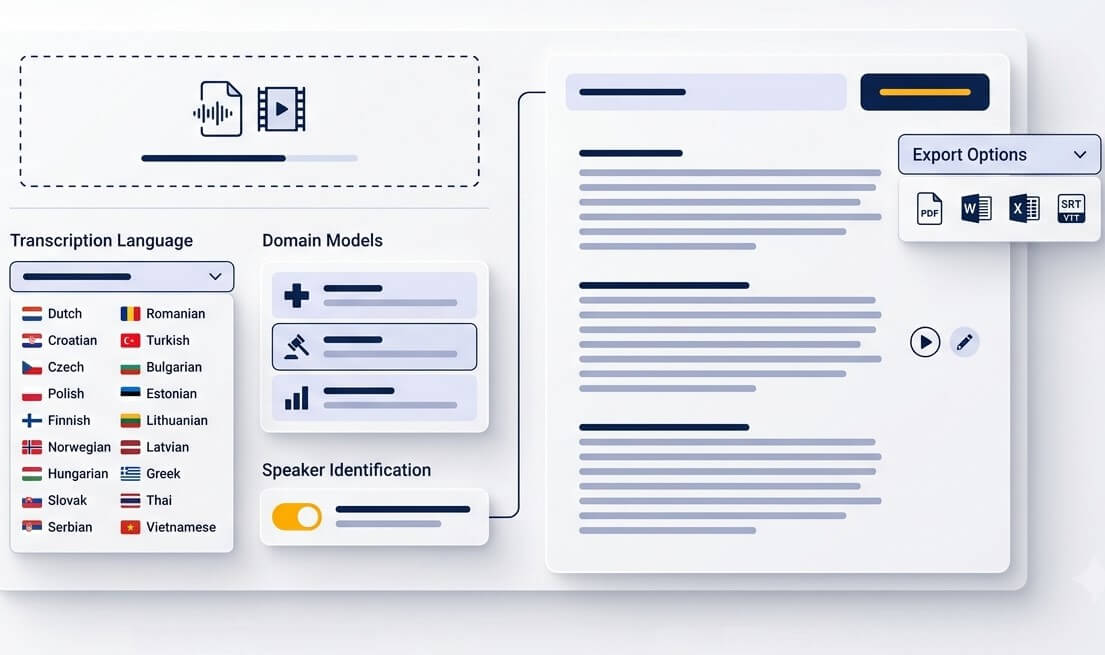
Upload an MP3, WAV, M4A, OGG, OPUS, WEBM, MP4, MOV, or another supported media file. A single recording or a batch can be prepared from desktop or mobile storage.
Select Hungarian, then choose a transcript format that fits the task. Use timestamps for review, speaker labels for dialogue, or subtitle timing for a video project.
Read the generated text in the editor and correct names, acronyms, or unclear passages. Download text, document, or SRT files when the transcript is ready to use.
Keep the spoken details while making information easier to revisit later
Preserve interviews with relatives, local memories, and recorded celebrations as searchable Hungarian text that can be shared across generations.
Convert a revision session or a recorded explanation into notes. Search for a topic, copy key definitions, and spend less time replaying the same segment.
Use the browser as a Hungarian voice to text app for saved phone recordings. Upload a voice memo and keep a readable record without installing specialist software.
Dictate observations during a viewing, inspection, or site visit. A transcript makes it simpler to compare notes and prepare a follow-up list.
Keep an accessible record of a club, association, or local meeting. Timestamps help participants find the part of the discussion that concerns them.
Capture spoken reminders, creative ideas, and planning thoughts in Hungarian. Text is easier to organize, tag, and find than a folder full of audio clips.
Make spoken knowledge available to colleagues, audiences, researchers, and records teams
Review focus groups, user interviews, and feedback calls as text. Speaker labels and timestamps speed up coding, quotations, and theme analysis.
Create working drafts from committee sessions, public consultations, and internal briefings. Important records should still be checked by an authorized reviewer.
Give recorded lessons, demonstrations, and presentations a written companion. Export subtitle files for viewers who prefer captions or watch without sound.
A useful Hungarian transcript needs more than a word-for-word approximation of the recording
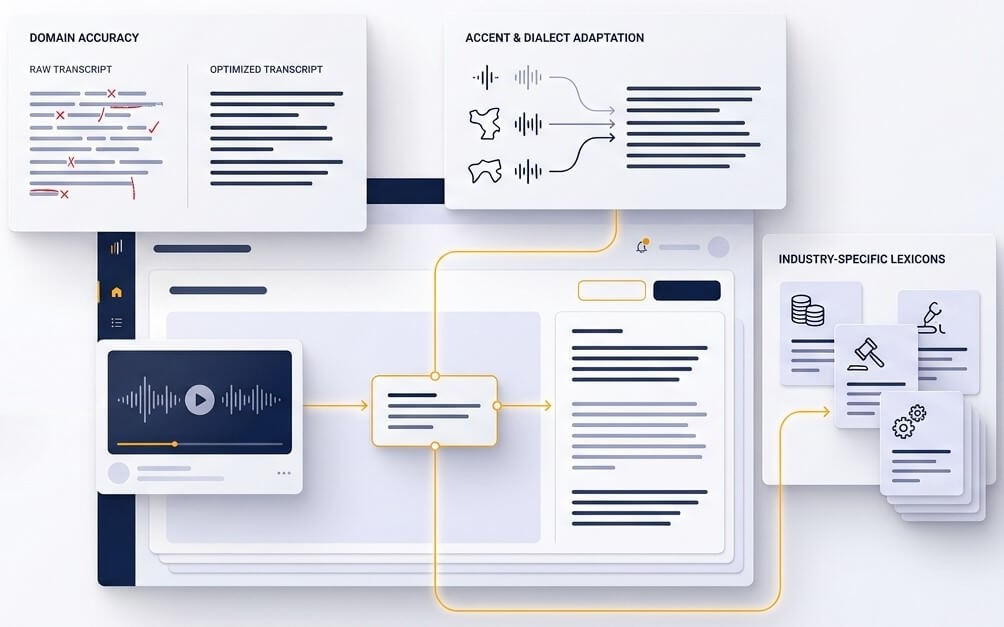
Hungarian uses vowel length as part of meaning. For example, kor and kór are not interchangeable, and letters such as ő and ű should not disappear in a polished document. A Hungarian speech to text converter needs to recognize these distinctions while also producing natural capitalization and sentence breaks. The result is a transcript that is easier to trust, edit, and quote.
Hungarian often attaches endings directly to a word. Place names, personal names, and specialist vocabulary can appear in many forms, such as Budapesten or ügyfeleinkkel. The recognition process considers the surrounding phrase rather than treating every sound as an isolated fragment. For important content, a quick review of names, figures, and technical terms remains good practice.
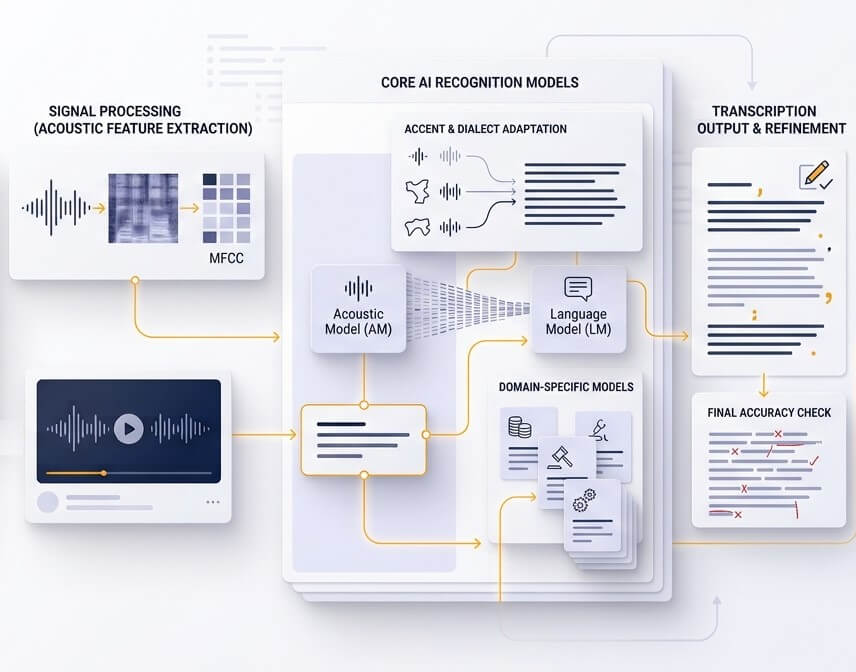
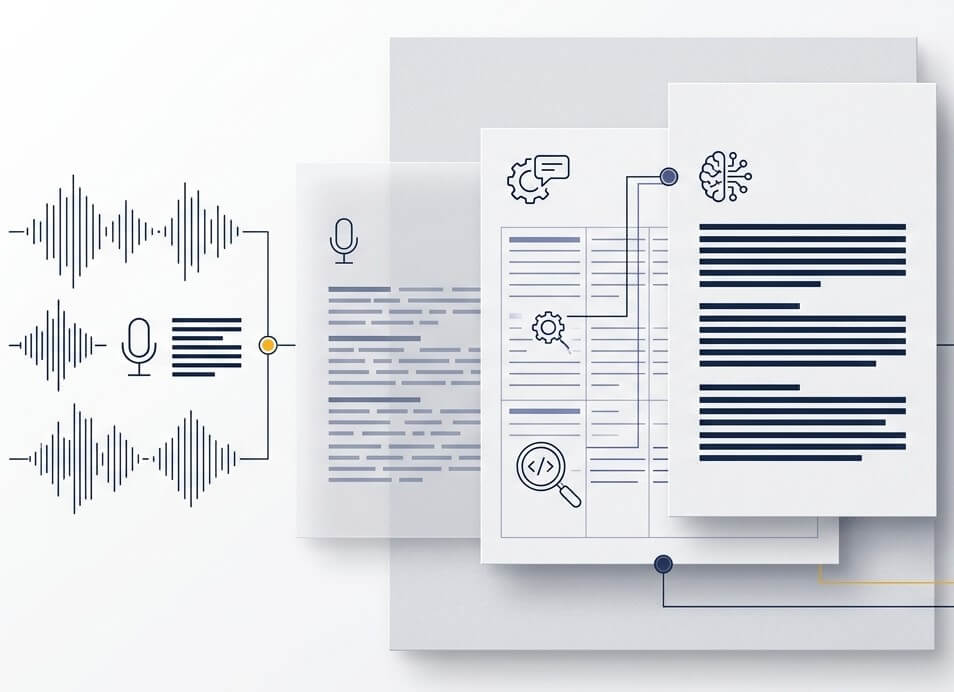
Clear microphones, one speaker at a time, and limited background noise produce the strongest result. Fast overlapping speech, poor calls, and unfamiliar proper names may need attention in the editor. SpeechText.AI keeps the audio aligned with the text so uncertain sections can be checked without searching through the entire recording.
Accuracy depends on audio quality, the number of speakers, background sound, accents, and subject vocabulary. Clear, single-speaker recordings usually need fewer edits than noisy group calls. Word error rate is a more useful measure than a universal accuracy promise because it shows how many words may require correction. Names, numbers, legal language, clinical information, and official records should always be reviewed by a qualified person.
Common formats include MP3, WAV, M4A, OGG, OPUS, WEBM, MP4, and MOV. Video files are processed for their audio track before transcription. If a file will not upload, converting it to WAV or MP3 is a reliable first step.
The service is designed to produce standard Hungarian spelling, including accented vowels such as á, é, í, ó, ö, ő, ú, ü, and ű. Audio quality and pronunciation affect every speech recognition result, so the editor is available for checking personal names, regional words, abbreviations, and passages that carry legal or technical significance.
Yes. After a Hungarian video has been transcribed, subtitle timing can be exported as an SRT file for many video platforms and editing tools. VTT may also suit web publishing workflows. Review line breaks and long captions before publishing, especially when the video has fast dialogue.
New accounts can use the available free trial to test Hungarian audio to text online free with a short recording. A test file is the best way to assess how the service handles a particular microphone, speaker mix, recording environment, and subject matter before choosing a paid plan.
Upload only recordings that can lawfully be processed and shared. Obtain consent where required, remove files when the work is complete, and follow internal retention rules. For confidential material, check organizational privacy requirements before using any cloud transcription provider. SpeechText.AI account controls make it possible to manage uploaded files and transcripts from the dashboard.