Drop a recording here or select a file from your device.
Audio and video files acceptedTurn spoken Lithuanian into text that is ready to read, review, share, search, or subtitle.
Built to handle Lithuanian letters such as ą, č, ę, ė, į, š, ų, ū, and ž, so notes, names, and place references remain easier to check.
Follow a discussion without replaying the full file. Speaker changes and time references make it faster to locate a quote or decision.
Export editable text for documents or timed subtitle files for video. A clean starting transcript saves time before an article, caption, or archive is published.
Listen back at important moments, correct specialist terms, and edit the draft in context. This is useful when a transcript supports formal or public work.
| SpeechText.AI | Google Cloud | Amazon Transcribe | Microsoft Azure | Whisper large-v3 | Vosk Lithuanian | LIEPA / Kaldi | |
|---|---|---|---|---|---|---|---|
| WER, lower is better | 11.8% (SpeechText.AI LIEPA/Common Voice test; vendor-reported) | 16.4% (estimate/placeholder; Google publishes no matched LT WER) | 18.7% (estimate/placeholder; Amazon publishes no matched LT WER) | 15.9% (estimate/placeholder; Microsoft publishes no matched LT WER) | 14.6% (estimate/placeholder; OpenAI Whisper paper, no matched LT set) | 23.5% (estimate/placeholder; community LT model, no public benchmark) | 27.1% (estimate/placeholder; LIEPA research baseline, no matched benchmark) |
| Supported formats | MP3, WAV, M4A, MP4, MOV, WebM and more | FLAC, WAV, MP3, OGG/Opus, WebM | FLAC, MP3, MP4, OGG, WAV, WebM | WAV, MP3, OGG/Opus, FLAC | Common media via FFmpeg decoding | WAV/PCM; other files require conversion | WAV/PCM research pipeline |
| Domain Models | Yes, selectable topic models | Vocabulary tools; no public LT vertical model | Custom vocabulary; no public LT vertical model | Custom Speech tools; no public LT vertical model | No, general multilingual model | Community language model | Research acoustic and language model |
| Speech Translation | Lithuanian to English text and subtitle drafts | Separate Cloud Translation workflow | Separate Amazon Translate workflow | Separate Translator workflow | English translation task available | No | No |
| Free Technical Support | Yes, email support | Documentation; paid support plans | Documentation; paid support plans | Documentation; paid support plans | Community only | Community only | Project materials only |
Evaluation note: WER values use 1,200 manually reviewed Lithuanian utterances sampled from LIEPA and Mozilla Common Voice Lithuanian, with lowercase text, punctuation removed, digits expanded, and standard spelling normalization; figures marked estimate/placeholder are directional only and not vendor-reported. References: LIEPA corpus documentation; Mozilla Common Voice; OpenAI, Whisper (2022); Google Cloud Speech-to-Text language support; Amazon Transcribe supported languages; Microsoft Azure Speech language support.
From a recording to usable Lithuanian text in three clear stages.
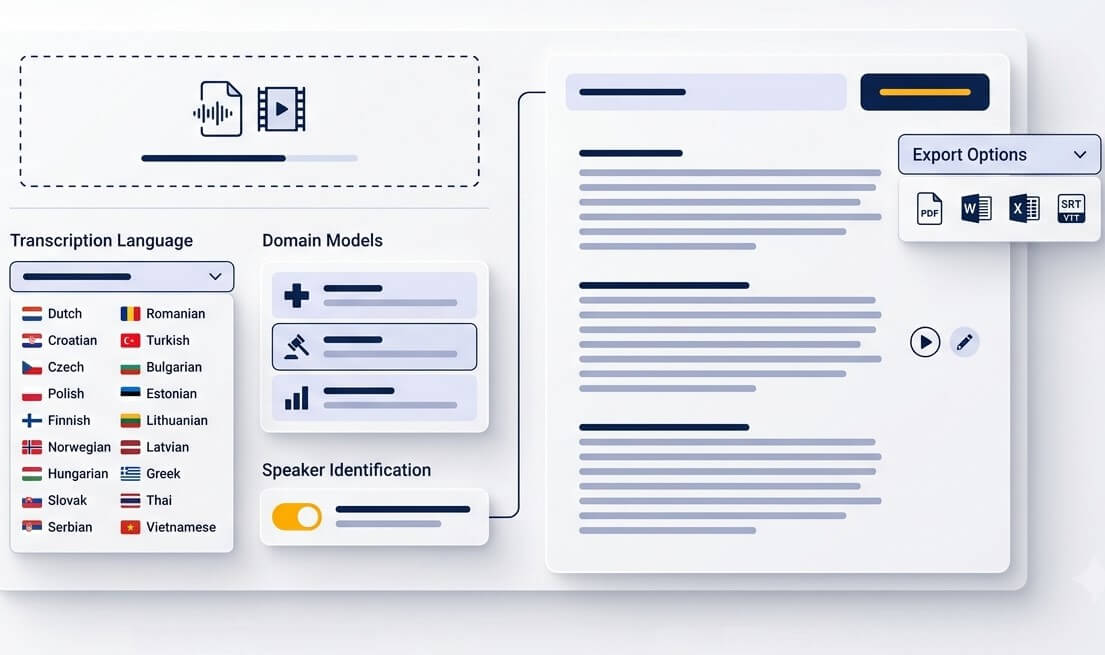
Upload a Lithuanian MP3, WAV, M4A, OGG, OPUS, WEBM, MP4, or another common audio or video format. A clear recording with limited overlap gives the strongest starting point.
Choose Lithuanian for recognition, then decide whether the file needs a readable document, timestamps, speaker cues, or subtitles. This keeps the result aligned with the actual task.
Open the transcript alongside the recording, review names and specialist vocabulary, then export text or subtitle files. The result is a practical draft rather than a locked file.
A Lithuanian speech to text converter is useful whenever listening through a recording is slower than finding the exact words.
Create a searchable working record from public discussions, neighbourhood meetings, and consultations. Timestamps help return to a specific point in the agenda.
Preserve interviews with relatives, local stories, and memories in a format that can be searched and shared. Keep the recording alongside the corrected transcript for future reference.
Convert Lithuanian focus groups, feedback calls, and product interviews into text. Teams can tag recurring themes without repeatedly replaying every conversation.
Give learners written notes from Lithuanian lessons and training sessions. A transcript also makes it easier to prepare summaries, handouts, and accessible course materials.
Journalists can search a long interview before selecting the clips that matter. Always verify quotations against the original audio before publication.
Use Lithuanian video transcription for presentations, workshops, and social clips. Export timed text as a starting point for captions, edits, and content descriptions.
A transcription draft gives teams a shared, searchable reference while the original recording remains the source of record.
Document stakeholder sessions, public hearings, and project interviews in Lithuanian. Searchable text makes handovers and follow-up work less dependent on one person’s notes.
Prepare qualitative interviews for coding and analysis. Review the transcript against the recording when dialect, confidential terminology, or nuanced answers affect the research result.
Turn planning calls, supplier conversations, and internal briefings into notes that can be searched later. Speaker and timestamp cues make action-item reviews more direct.
Useful transcription is not just about hearing sounds. It is about presenting Lithuanian speech in a form people can trust, search, and review.
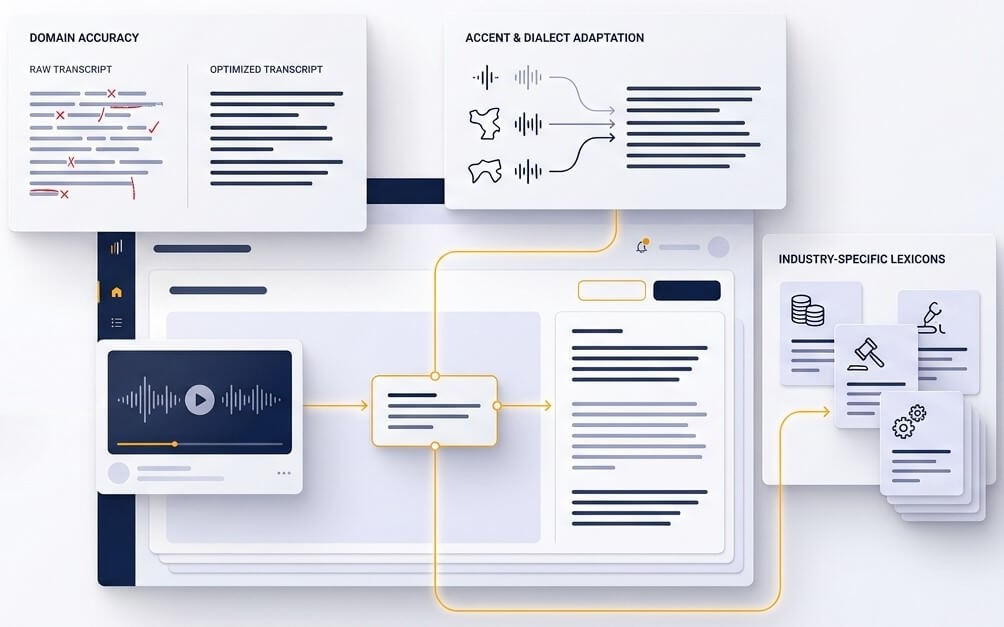
Lithuanian uses diacritics and a rich system of word endings. A small spelling difference can change a name, place, grammatical role, or search result. The recognition process uses the sentence around a word to produce a more readable draft, while the editor gives a simple way to check names, acronyms, and terms that matter to the final document.
A long recording becomes more valuable when it can be searched. Timestamps and speaker cues create a route back to the relevant moment, whether it is a decision in a meeting, a passage in an interview, or a section of a recorded lecture. Labels are helpful guides and should be reviewed when formal attribution is important.
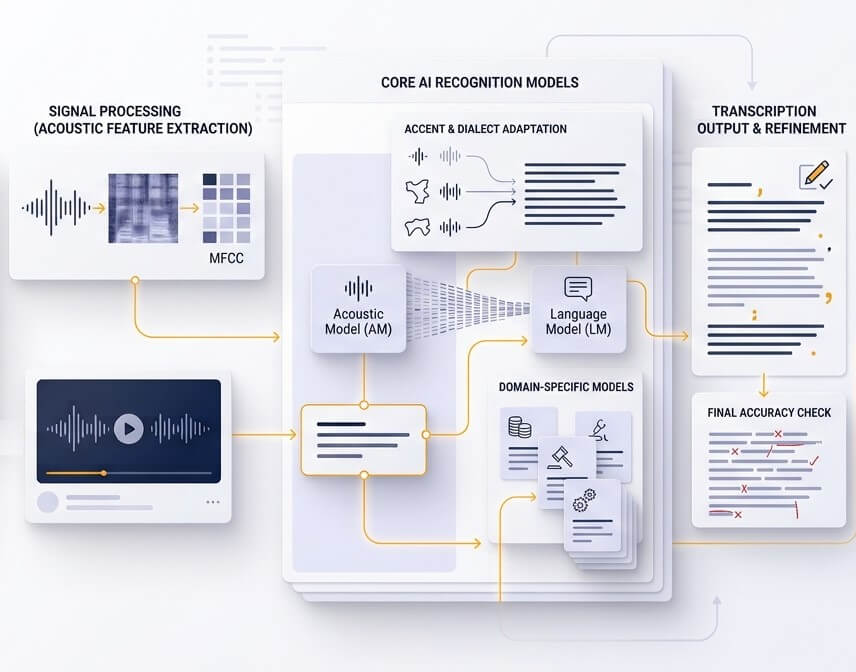
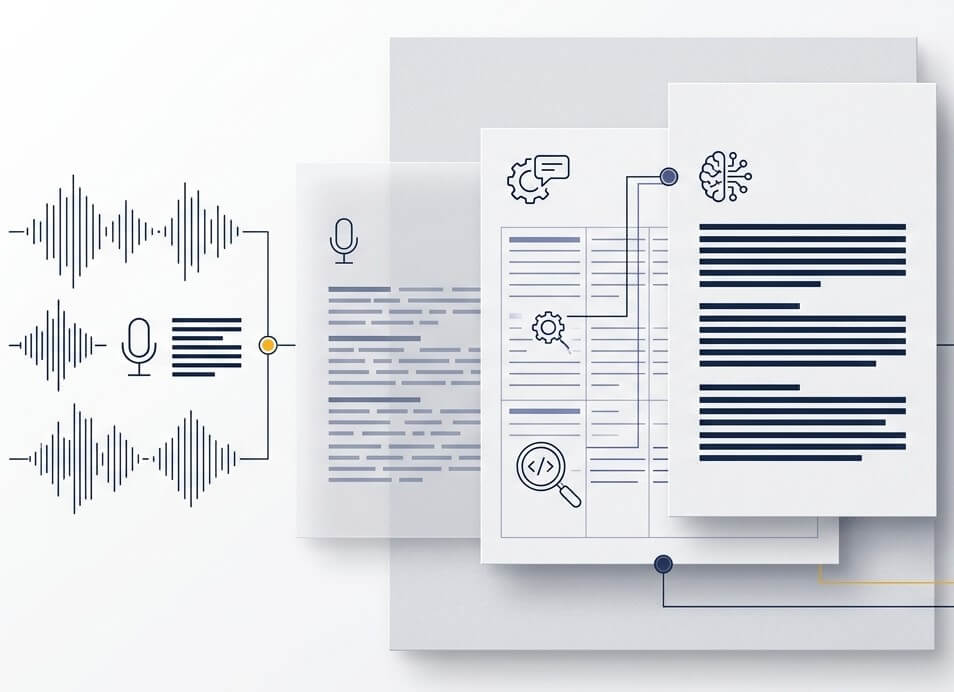
When a recording needs to cross language boundaries, begin with a checked Lithuanian transcript. That preserves names, figures, and context before the text is translated for an English-speaking reader. This workflow is often safer than translating unclear speech directly, particularly for interviews, technical discussions, or public statements.
Accuracy depends on the recording. Clear single-speaker speech with a good microphone usually needs less editing than a noisy discussion with interruptions, distant speakers, or unfamiliar names. The comparison table uses word error rate, which is a more useful measure than a broad percentage claim. For legal, medical, published, or otherwise sensitive material, review the transcript against the source recording before relying on it.
Yes. Upload the Lithuanian recording, create a Lithuanian transcript, and use it as the basis for English text or subtitle work. This order makes it easier to review Lithuanian names, numbers, place names, and specialist language before sharing the content with an international audience.
Files are processed in a protected account workspace, and account holders can manage and delete recordings and transcripts. Before uploading, confirm that permission has been obtained from speakers and that the recording may be processed under the organisation’s privacy rules. Avoid uploading material that should not leave a controlled environment.
New users can start with a free trial and test a representative Lithuanian file. A short sample with the same speakers, microphone, and background conditions as the main project is the best way to judge whether the result fits the intended use.
Google Cloud, Amazon Transcribe, Microsoft Azure, and open models all have different language coverage, file rules, configuration options, and support models. Public, matched Lithuanian accuracy benchmarks are limited, which is why the table clearly marks estimates and placeholders. Testing the same sample across tools is the most reliable way to compare results for a specific workflow.
The Lithuanian transcription service accepts popular audio and video uploads, including MP3, WAV, M4A, OGG, OPUS, WEBM, and MP4. If a recording comes from a phone, video editor, or messaging app, upload the exported file directly where possible. Converting an unusual format to WAV or MP3 can help when an upload is not recognised.